

⚠ Temporary Notice: Our official Xtreme HD IPTV app is currently not working for new users.
Please use IPTV Smarters Pro as an alternative player until our official app is restored. Existing users can continue using the official app without issues.
If you are a new subscriber and want to start streaming immediately, follow this complete step-by-step guide to set up Xtreme HD IPTV on Google TV (2026) using IPTV Smarters Pro.
✅ What You Need Before Starting
- Amazon Firestick (any model)
- Active Xtreme HD IPTV subscription (provided by us)
- Login details:
- Xtream Codes (Username + Password + Server URL)
OR - M3U Playlist URL
- Xtream Codes (Username + Password + Server URL)
- Stable internet connection
Step 1 – For Download IPTV Smarter Pro
GO to your play store and search iptv smarter pro Check Devolper (WHCMS Smarters) there and There you Got The Official APP
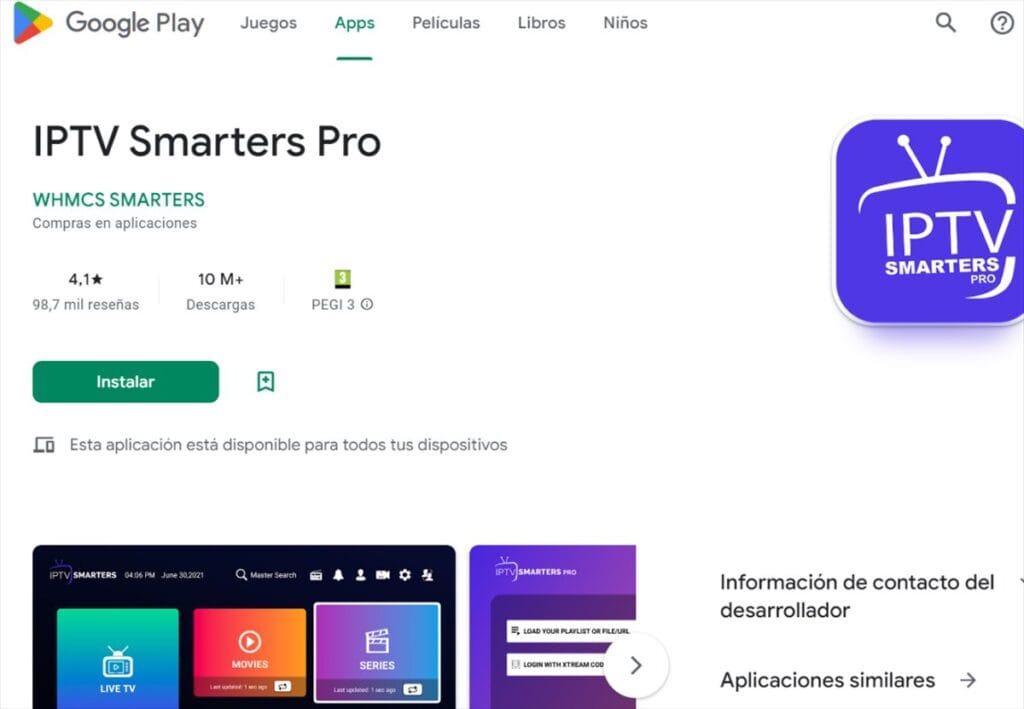
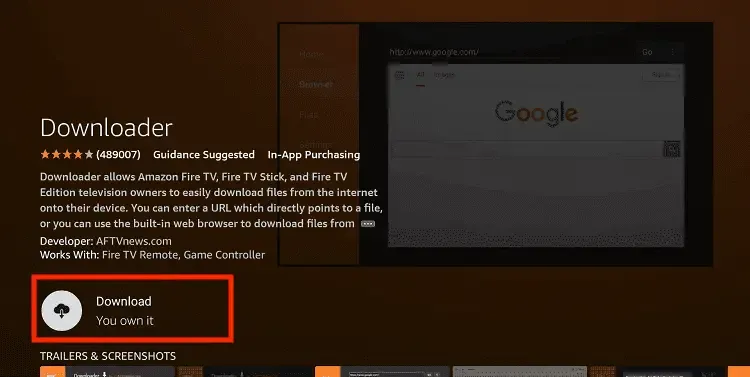
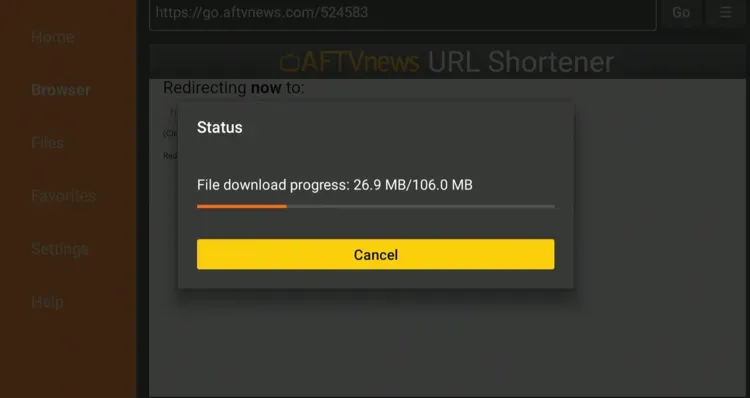
Step 2: Install By Downloader App
Go to The APP Store of Your Smart Led or Android TV and Search Downloader App There
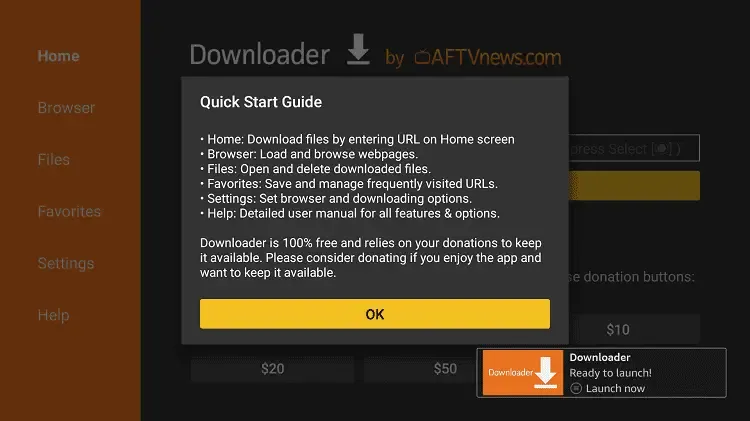
Open The Downloader App and You see a Pop Up
New Code for IPTV Smarter Pro -> 6468112
- Now click on the Empty Box and using the keyboard type this Code: 6468112
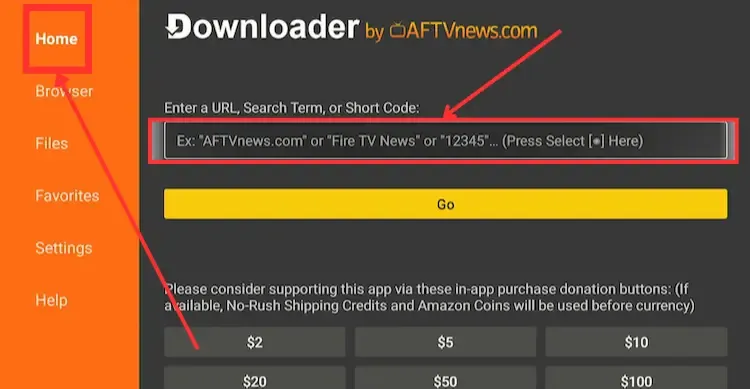
Wait there for 5 seconds and it will automatically Redirect and Download the app.
🔑 Step 2 – Add Your Xtreme HD IPTV Account on IPTV Smarter Pro
When you open IPTV Smarters Pro for the first time, you will see login options.
You can choose one of the two setup types:
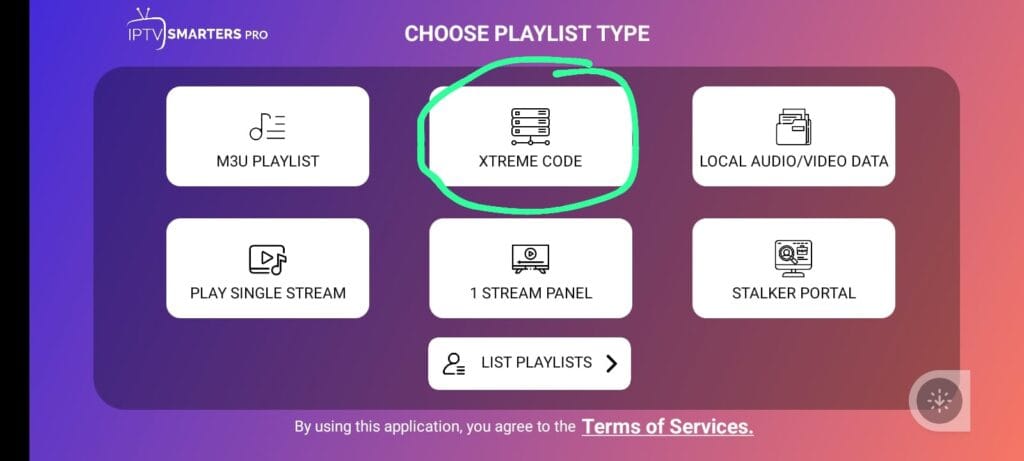
OPTION 1: Setup Using Xtream Codes (Recommended)
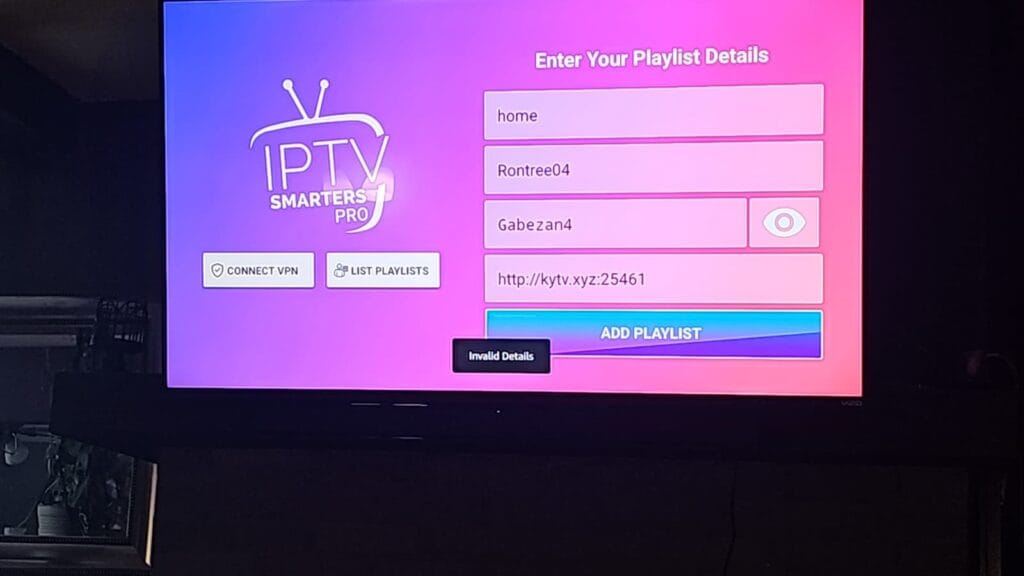
This is the easiest and most stable method.
- Select Login with Xtream Codes API
- Enter:
- Any name (e.g., Xtreme HD)
- Username (provided by us)
- Password (provided by us)
- Server URL (provided by us)
- Click Add User
- Wait for channels to load
OPTION 2: Setup Using M3U Playlist
If you prefer M3U:
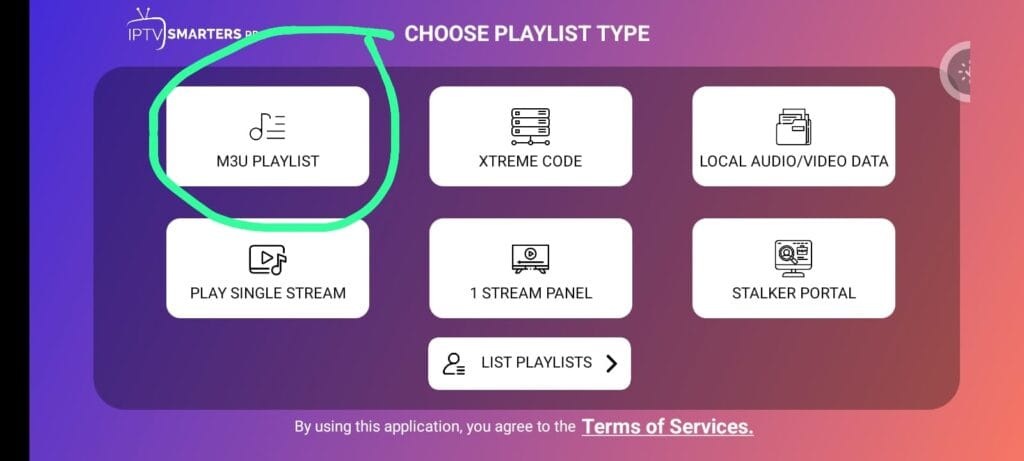
- Select Load Your Playlist or File/URL
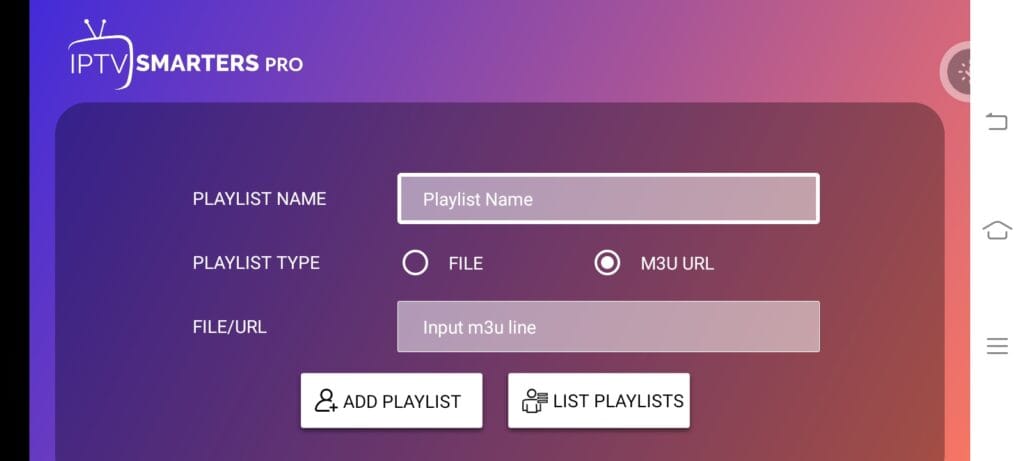
- Choose M3U URL
- Enter:
- Playlist Name (any name)
- M3U URL (provided by us)
- Click Add PLaylsit
- Wait for playlist to load
🚀 Fix Common Issues
If Channels Not Loading:
- Double-check username & password
- Make sure Server URL is correct (no extra spaces)
- Restart Firestick
If Buffering:
- Restart router
- Use wired Ethernet adapter (recommended)
- Close background apps
🔐 Important Notice
- IPTV Smarters Pro is only a media player.
- It does not provide channels.
- You must have an active subscription with us (Xtreme HD IPTV).
📌 Final Words
Until our official Xtreme HD IPTV app is restored for new users, IPTV Smarters Pro is the best alternative solution for Firestick in 2026.
If you need your login details again or face any issue, contact our support team and we will assist you immediately.
